Hey there! Welcome back, and congratulations on completing our LinkedIn Profile Optimization series! I hope you've already started seeing the benefits of having a fully optimized LinkedIn profile. Now that your profile is polished and professional, it's time to take the next big step in your LinkedIn journey.
I'm thrilled to introduce our brand new series: LinkedIn Content Marketing Strategies. This is where I'll try to change your optimized profile from a static presence into a dynamic, engaging platform that attracts opportunities and builds meaningful professional relationships.
Throughout this series, we'll explore powerful strategies that successful LinkedIn creators use to grow their influence, expand their network, and achieve their professional goals. From understanding the algorithm to crafting compelling content, I'll cover everything you need to know to master LinkedIn content marketing.
Today, we're kicking things off with one of the most talked-about yet often misunderstood LinkedIn engagement tactics: CFBR. If you've been scrolling through LinkedIn lately, you've probably noticed these four letters appearing in comment sections everywhere. But what exactly is CFBR, and why has it become such a game-changer for content creators?
In this comprehensive guide, I'll break down CFBR (Commenting For Better Reach) in a way that's both professional and easy to digest. So, let's dive into the world of CFBR and unlock its potential for your LinkedIn content marketing success!
What Does CFBR Mean on LinkedIn?
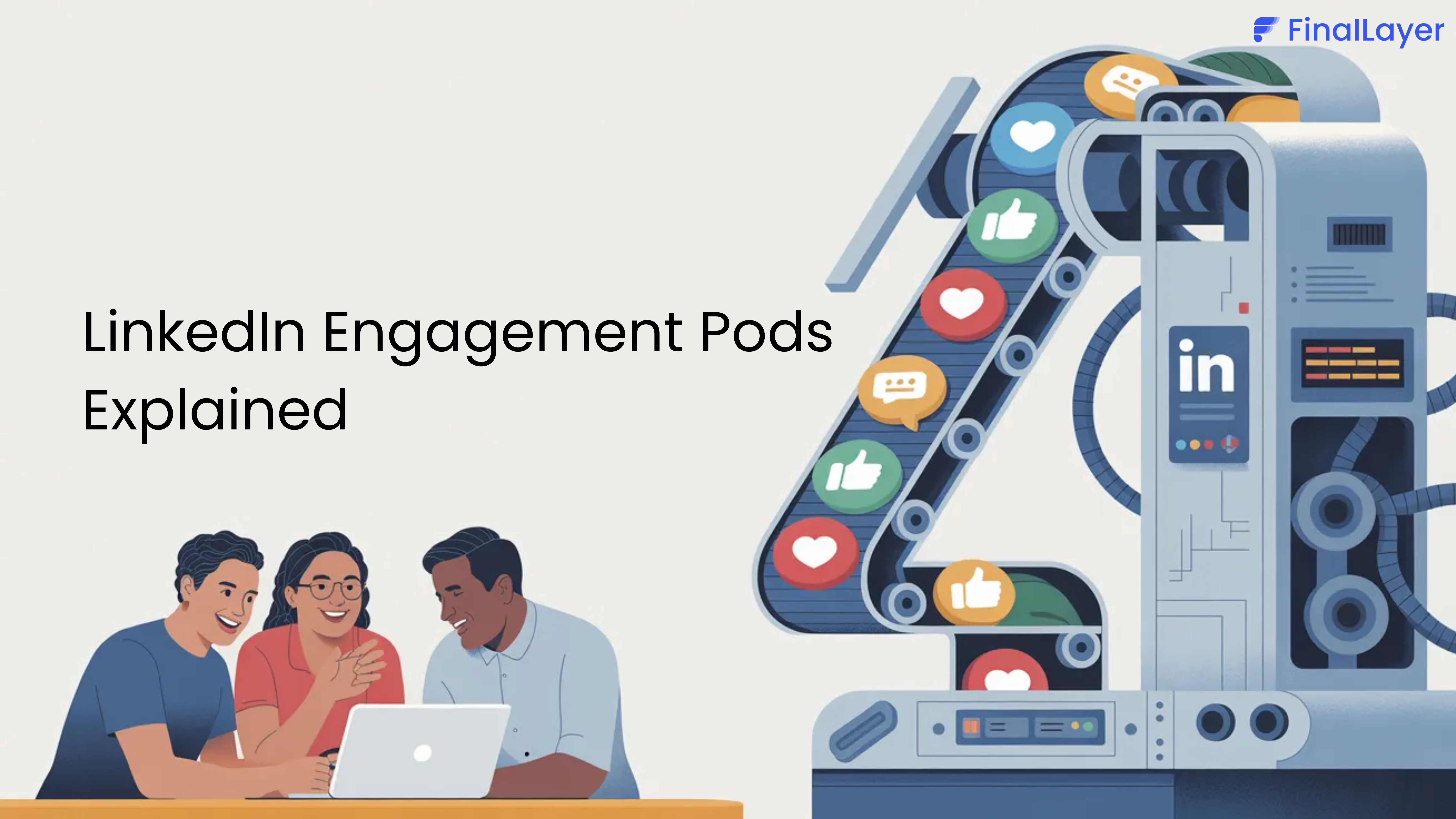
CFBR stands for "Commenting For Better Reach." It's a community-driven engagement strategy where LinkedIn users support each other's content by commenting "CFBR" to help boost post visibility. When someone comments CFBR on your post, they're actively helping to increase its reach through the LinkedIn algorithm.
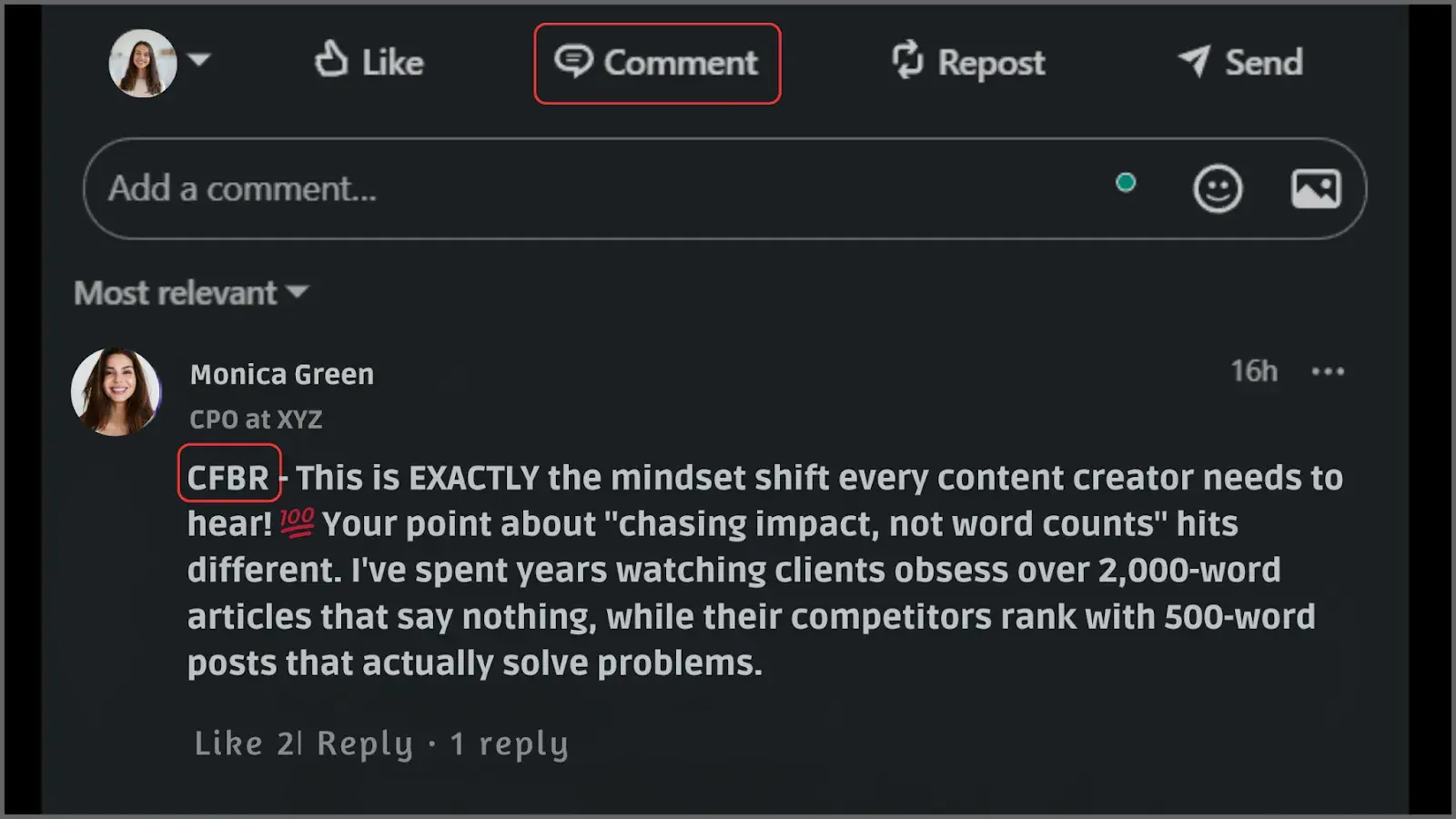
The platform's algorithm prioritizes content that receives early engagement, especially comments. The more people engage with your post, the more LinkedIn thinks, "Oh wow, this must be good stuff!" and shows it to even more people.
Where Did CFBR Come From? The Origin Story
CFBR didn't appear out of thin air. It was born from crisis.
In late 2022, the tech industry went through one of its most painful periods in recent history. Tens of thousands of professionals at companies like Meta, Twitter, Amazon, and Google were suddenly laid off. LinkedIn became a lifeline, the one place where people could post "Open to Work" and hope someone in their network saw it.
The problem? A post from someone with a small or dormant network would simply disappear into the void. So the community found a workaround. People began commenting on these job-seeking posts with phrases like "Like, Share, and Comment For Better Reach" and "reach+++" to help push posts into more feeds. Over time, this shortened to the four letters we know today: CFBR.
What started as a genuine act of solidarity, strangers helping strangers find jobs, gradually evolved into something more commercial. Today, CFBR is used by content creators, marketers, founders, and recruiters across all industries, not just job seekers. The spirit of community support is still there, but like many internet trends, it's also been gamed and overused.
Understanding this history matters, because it tells you the right way to use CFBR: as a tool of genuine support, not an automated noise machine.
Why should you even care about CFBR?
Let me tell you a story. One of my friends was posting incredible insights about digital marketing on LinkedIn for months, but barely anyone was seeing them. She was getting maybe 50-100 views per post and feeling pretty discouraged.
Then she learned about CFBR and started using it strategically. Within a month, her posts were getting thousands of views, and she even landed two new clients from LinkedIn. Crazy, right?
The beauty of CFBR is that it helps in building a supportive community. We all want our content to be seen, right? So why not help each other out? When you comment CFBR on someone's post, you're not just boosting their reach; you're building a relationship.
And in the world of LinkedIn content marketing, relationships are everything. This collaborative approach aligns perfectly with LinkedIn's professional networking ethos.
How the LinkedIn Algorithm Actually Weights Your Comment
To use CFBR intelligently, you need to understand the science behind why it works, and where it starts to fall apart.
Comments beat likes — every time. LinkedIn's algorithm weights different engagement types differently. According to research by AuthoredUp across over 621,000 posts, comments count approximately twice as much as likes in LinkedIn's distribution model. A post with 20 thoughtful comments will almost always outperform a post with 200 likes and no comments.
The first hour is everything. LinkedIn uses what's called an "engagement testing window." When you publish a post, LinkedIn shows it to a small sample of your network first, typically in the first 60 to 90 minutes. If that sample engages (especially with comments), LinkedIn expands the post to a larger audience. If it doesn't, the post quietly dies. This is why CFBR comments that land early have a disproportionate impact compared to the same comments arriving 12 hours later.
Dwell time is the metric most people ignore. LinkedIn's engineers have publicly confirmed that the algorithm doesn't just count interactions, it also measures how long a user spends on a post. This metric is called dwell time. If someone scrolls past your comment in one second, that's a low-quality signal. If someone stops, reads, and even scrolls back up to re-read? That's a high-quality signal. A generic "CFBR" comment generates near-zero dwell time. A 15+ word comment that makes someone think, disagree, or respond? That generates dwell time, for the original post and for your own profile.
The cascade effect. When someone from outside your direct network comments on a post, LinkedIn treats this as a stronger signal of relevance. It then shows the post to that commenter's connections too, extending reach beyond the original poster's network entirely. This is the core mechanism that makes CFBR work when done right
Here's a simple way to think about it:
| Action | Algorithm Weight | Dwell Time Generated |
| Like / Reaction | Low | Near zero |
| Share (repost) | Medium | Low |
| Short comment ("CFBR") | Medium | Low |
| Thoughtful 15+ word comment | High | High |
| Comment that sparks a reply thread | Very High | Very High |
The different ways to make CFBR work for you
Now, let's talk strategy because just randomly commenting CFBR everywhere isn't going to cut it. You need to be smart about it.
First, there's the buddy system approach. Find a group of LinkedIn creators in your niche or related fields and support each other. But here's the key: Don't make it transactional.
Build real relationships. Comment on their stuff because you genuinely want to help them succeed, not just because you expect something in return. Trust me, people can smell fake engagement from a mile away.
Another approach I love is what I call "strategic visibility." Let's say you're in tech sales and you see a post from a well-known sales leader.
Instead of just dropping "CFBR," you could comment something like "CFBR - and I love your point about personalization in cold outreach. Just tried this approach yesterday and booked three meetings!" See what I did there? You're boosting their reach and adding value to the conversation.
The stuff nobody tells you about CFBR
Here's where I'm going to get real with you. I've seen people think they can post mediocre content, get a bunch of CFBR comments, and suddenly become LinkedIn famous. Nope, doesn't work that way.
LinkedIn's algorithm is getting smarter. It can tell the difference between genuine engagement and people just gaming the system.
If all your comments are just "CFBR" with nothing else, or if the same 10 people are always commenting on each other's posts within minutes, LinkedIn might actually reduce your reach.
Also, timing matters more than you think. I learned this the hard way. I used to post whenever I felt like it, thinking CFBR comments would save me. But then I started paying attention to when my audience was actually online.
Best practices and considerations
While CFBR is a powerful tool, it's important to use it wisely. Here are some guidelines to keep in mind:
Quality over Quantity
Don't rely solely on CFBR to boost your content. The foundation should always be valuable, relevant content that genuinely helps your audience. CFBR works best as a complement to high-quality posts, not as a substitute for them.
prompt and optimize for better results.
Vary your comments
Mix CFBR with other types of meaningful engagement. Sometimes, a thoughtful comment without CFBR can be just as valuable. The key is to maintain authentic interactions while strategically using CFBR when appropriate.
Monitor algorithm changes
LinkedIn regularly updates its algorithm, so stay informed about any changes that might affect how CFBR works. What's effective today might need adjustment tomorrow.
Few examples of CFBR
Basic CFBR Examples
Example 1 - Simple CFBR

This is the most basic form - just the four letters to boost the post's reach.
Example 2 - CFBR with Emoji

Many users add an emoji to make their comment slightly more engaging.
Value-added CFBR examples
Example 3- CFBR with insight

Example 4 - CFBR with question

Example 5 - CFBR with personal experience

Professional CFBR examples
Example 6 - Industry-specific CFBR

Example 7 - Thoughtful CFBR

Strategic CFBR examples
Example 8 - CFBR with Tag

Example 9 - CFBR with Call-to-Action

Example 10 - CFBR with Appreciation

Creative CFBR examples
Example 11 - Conversational CFBR

Example 12 - Enthusiastic CFBR

What NOT to Do - Poor CFBR Examples
Poor Example 1 - Spam-like
"CFBR CFBR CFBR CFBR"
This looks spammy and adds no value.
Poor Example 2 - Off-topic
"CFBR - By the way, check out my profile for sales tips!"
Don't hijack someone else's post for self-promotion.
Poor Example 3 - Generic
"CFBR - Great post! Thanks for sharing! Awesome content!"
While positive, this adds no specific value or insight.
Moving forward with CFBR
As you implement CFBR into your LinkedIn strategy, remember that it's most effective when used authentically. The LinkedIn community values genuine connections and meaningful interactions. Use CFBR to support others' content while building your own presence on the platform.
Start by identifying key people in your network whose content aligns with your interests. Engage with their posts regularly, using CFBR when appropriate, and build those professional relationships. Over time, you'll likely find that the support becomes reciprocal, creating a positive cycle of engagement that benefits everyone involved.
The goal is to build a strong, engaged community around your content while helping others do the same. That's the real power of CFBR when used effectively within your LinkedIn content marketing strategy.