You've spent 30 minutes crafting the perfect LinkedIn post. Your insights are valuable, your writing is sharp, and you're confident this content will resonate. You hit publish, and then... crickets. A handful of views, minimal engagement, and no meaningful conversations.
Sound familiar? The frustrating truth is that great content alone isn't enough on LinkedIn. Without strategic hashtags, even your best posts remain invisible to the audiences who need to see them. Your visibility depends not just on what you say, but on how effectively you help LinkedIn's algorithm connect your content with the right professionals.
This is where a linkedin hashtag generator becomes essential. This comprehensive guide shows you exactly how to use these tools to dramatically expand your visibility, connect with your target audience, and finally get the engagement your content deserves.
Step 1: Choose the Right Tool for Your Needs
Not all tools offer the same quality or features. Start by selecting one that provides strategic, data-driven recommendations rather than generic suggestions.
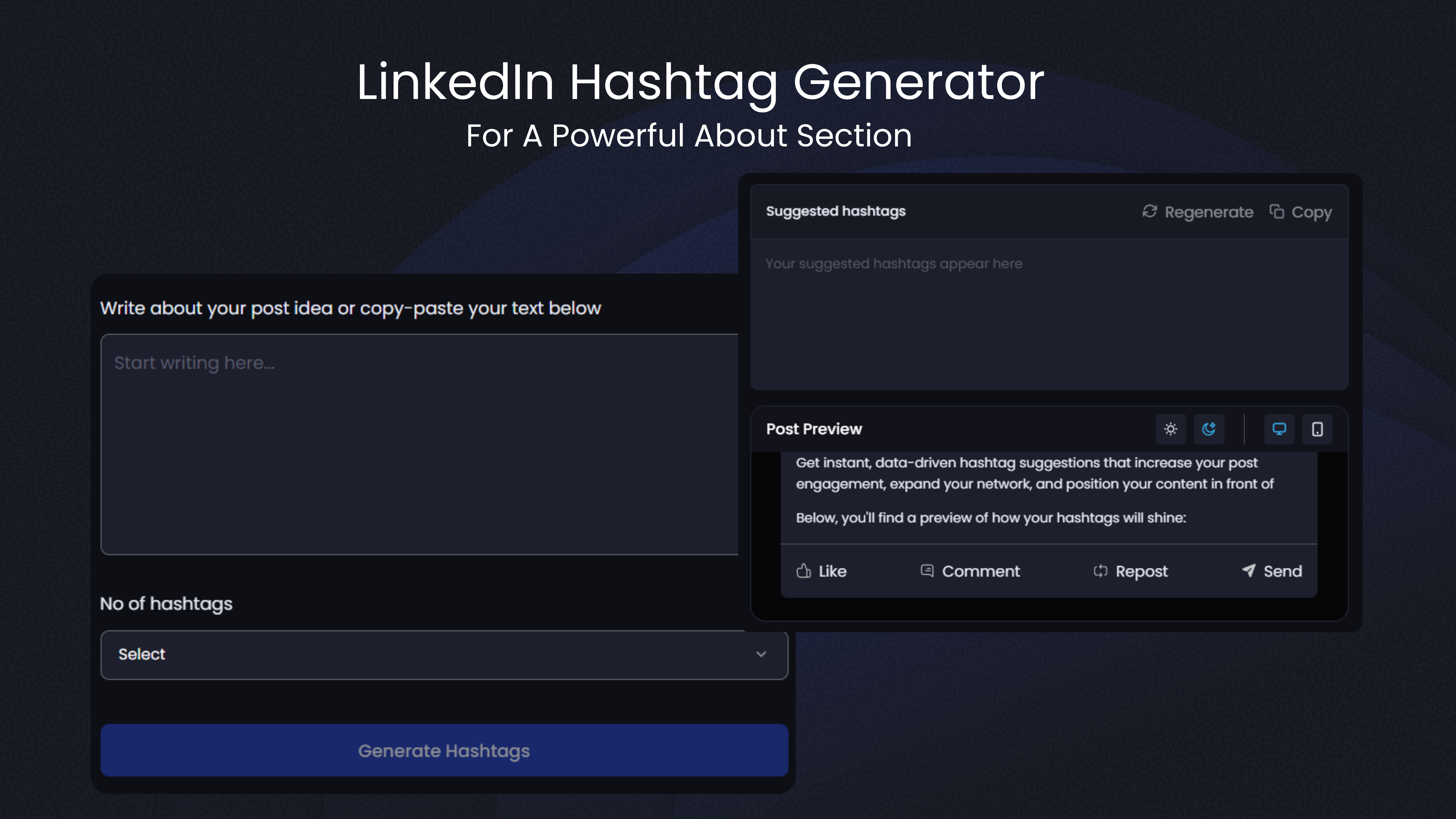
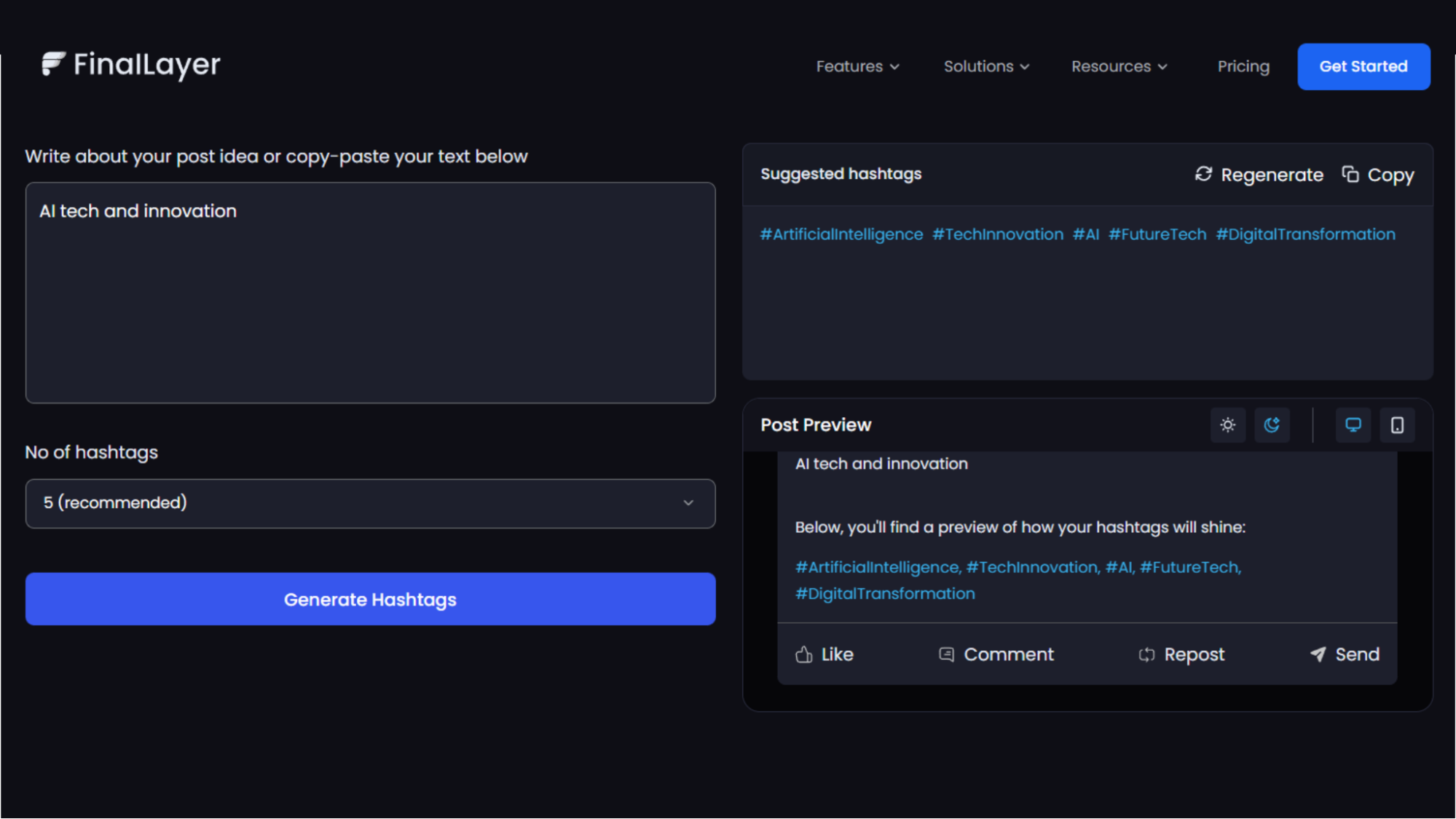
FinalLayer's LinkedIn Hashtag Generator stands out because it analyzes your specific content and generates tags tailored to your industry, audience, and goals. Unlike basic tools that simply suggest popular options, FinalLayer's linkedin hashtag generator balances broad visibility with targeted relevance.
Step 2: Prepare Your Content for Optimal Results
Before using your linkedin hashtag generator, prepare your content properly to get the most accurate recommendations.
Write your complete post first
Don't add tags as an afterthought, let the generator analyze your finished content to identify the most relevant options. This ensures the suggested tags genuinely match what you're discussing.
Be specific in your content
Vague posts yield generic recommendations. The more clearly you articulate your topic, industry context, and target audience, the better your linkedin hashtag generator can identify best hashtags for linkedin posts that will expand your visibility effectively.
Consider your goal for the post
Are you building thought leadership? Attracting clients? Networking with peers? Searching for job opportunities? Your objective influences which tags will serve you best. Quality tools allow you to indicate your goal, tailoring recommendations accordingly.
Step 3: Generate Strategic Tag Recommendations
Now you're ready to use your linkedin hashtag generator to find the best hashtags for linkedin posts.
Access FinalLayer's tool and input your content. You can either paste your complete post text or provide a detailed description of your topic. The more context you give, the more precise the recommendations.
The linkedin hashtag generator analyzes your content using natural language processing to identify key themes, topics, and concepts. It then compares these against a comprehensive database, evaluating each tag's:
- Current popularity and follower count
- Recent engagement rates on posts using that tag
- Relevance to your specific content
- Competition level
- Trending status in your industry
Within seconds, you'll receive a curated list strategically selected to maximize your linkedin reach. The recommendations typically include:
- 1-2 broad, high-volume tags for maximum exposure
- 3-4 niche tags targeting your specific audience
- 1-2 emerging tags with growing momentum
- Industry-specific options where your ideal audience engages
This balanced approach definitively answers whether hashtags work on linkedin, yes, when you use a strategic mix rather than random popular tags.
Step 4: Select Your Final Tags Strategically
Your linkedin hashtag generator might suggest 10-15 options, but that doesn't mean you should use them all. Strategic selection is crucial for maximizing linkedin reach without appearing spammy.
Research consistently shows that 3-5 tags per post performs best. This range allows you to capture different audience segments while maintaining professionalism and readability.
Here's how to select from your linkedin hashtag generator recommendations:
Choose one broad tag:
This should be a popular option with substantial followers. It provides initial visibility and helps your post reach beyond your immediate network. However, understand that posts get buried quickly in high-volume streams.
Add 2-3 niche tags:
These more specific options target your ideal audience. They have smaller follower counts but higher relevance, meaning people who see your post are genuinely interested in your topic. Niche selections often drive better engagement than broad ones.
Consider one trending tag (if relevant):
If your linkedin hashtag generator suggests a trending option that genuinely relates to your content, include it. Trending tags offer temporary visibility boosts, but only use them when relevant, forced trending options damage credibility.
Avoid the temptation to use every suggested tag
Posts with 10+ options often appear desperate or spammy, actually decreasing engagement and potentially hurting your linkedin reach rather than expanding it.
Step 5: Position Your Tags for Maximum Impact
After selecting the best hashtags for linkedin posts from your linkedin hashtag generator, strategic placement matters for both aesthetics and effectiveness.
Most professionals place tags at the end of their posts, separated by a line break from the main content. This keeps your valuable insights readable while still optimizing for discovery.
Example format:
[Your thoughtful content here...]
[Line break]
#DigitalMarketing #ContentStrategy #B2BMarketing
This approach maintains clean readability while ensuring your selections are visible and functional. LinkedIn's algorithm indexes tags regardless of placement, so there's no SEO advantage to putting them at the beginning versus the end.
Some professionals integrate one primary tag within their post text naturally, then add supporting options at the end. This can work well when the tag feels organic to your writing, but forced integration looks awkward.
The key is maintaining professionalism while ensuring your carefully selected options from your linkedin hashtag generator are clearly visible and clickable.
Step 6: Monitor Performance and Refine Your Strategy
Using a linkedin hashtag generator isn't a one-time task, it's an ongoing process of testing, learning, and optimization.
After publishing your post with strategic tags, monitor its performance closely. LinkedIn provides analytics showing:
- Total impressions (how many times your post was seen)
- Engagement rate (likes, comments, shares)
- Which tags drove the most views
- Audience demographics reached
This data reveals which best hashtags for linkedin posts are actually expanding your linkedin reach versus which ones underperform. Pay special attention to the tag performance section in your analytics, it explicitly shows which options drove impressions.
Track patterns over multiple posts. If certain selections consistently drive high impressions and engagement, add them to your regular rotation. If others consistently underperform, stop using them even if they seem relevant.
Use your linkedin hashtag generator regularly, not just once. Tag effectiveness changes as trends evolve, new options emerge, and follower patterns shift. Generate fresh recommendations every few weeks to ensure you're always using current best hashtags for linkedin posts.
Step 7: Build Your Personal Tag Library
As you test recommendations from your linkedin hashtag generator and track performance, build a personal library of proven options.
Create a document categorizing tags by:
- Topic or content theme
- Audience segment they reach
- Typical performance (impressions, engagement)
- When to use them (always, occasionally, trending periods)
This library becomes your quick-reference guide for future posts. When creating content on familiar topics, you can quickly pull from your proven selections while using your linkedin hashtag generator to discover new opportunities.
However, don't rely solely on your library. Platform dynamics change constantly. An option that drove excellent linkedin reach six months ago might be oversaturated now. Continue using your tool to discover fresh tags and test them against your established performers.
This combination of proven options plus new discoveries ensures consistent results while continuously expanding your visibility into new audience segments.
Step 8: Avoid Common Mistakes That Hurt Visibility
Even with a quality linkedin hashtag generator, certain mistakes can undermine your linkedin reach:
Using irrelevant trending tags:
Your tool might suggest a trending option, but if it doesn't genuinely relate to your content, skip it. Relevance matters more than popularity. The question "do hashtags work on linkedin" is answered "no" when you use unrelated trending options.
Never refreshing your selections:
Using identical tags on every post limits your visibility to the same audiences repeatedly. Vary your selections to connect with different professional segments.
Copying competitor tags blindly:
While analyzing what works for others provides insights, directly copying their selections without using your own linkedin hashtag generator means you're following rather than strategically positioning your content.
Ignoring analytics:
If you're not tracking which best hashtags for linkedin posts drive results, you're missing crucial data that should inform future selections from your tool.
Understanding Why Visibility Depends on Strategic Hashtags
Before diving into how to use a linkedin hashtag generator, let's understand why tags matter so much for visibility.
Many professionals wonder, do hashtags work on linkedin? The answer is unequivocally yes, but they work differently than on other platforms.
Hashtags function as topic markers that organize content into searchable streams. When you add them to your post, you're essentially telling LinkedIn's algorithm: "This content is about these specific topics." The algorithm then shows your post to users who follow those tags or have shown interest in related content.
Here's the powerful part: users see posts with tags they follow even if they don't follow you personally. This is how strategic tagging exponentially expands your linkedin reach beyond your existing network of connections.
The challenge? Manually researching which tags will maximize your linkedin reach takes significant time and expertise. You need to balance popularity with relevance, understand which tags are oversaturated, and identify emerging options before they become mainstream.
A linkedin hashtag generator solves this problem by analyzing your content and suggesting optimal tags based on real-time data about what's driving engagement on the platform right now.
Advanced Strategies for Maximum Visibility
Once you've mastered basic linkedin hashtag generator usage, these advanced strategies can further optimize your linkedin reach:
Create branded tags:
Combine recommendations from your tool with a unique branded option. This builds a content archive under your personal or company tag while still leveraging popular selections for discovery.
Participate in tag communities:
Follow the tags you regularly use. Engage with other posts in those streams by commenting thoughtfully. This increases your visibility to people interested in those topics before they even see your posts.
Test posting times with tags:
Your linkedin hashtag generator provides the tags, but posting time affects when tag followers see your content. Test different times to find when your target tag followers are most active.
Combine tags with other strategies:
Tags work best when combined with tagging relevant people, posting consistently, and engaging authentically with your network.
Common Questions About Tag Effectiveness
Let's address the most frequent questions professionals ask about tag strategy:
Do hashtags work on linkedin for all content types? Yes, tags improve visibility for text posts, articles, videos, and documents. The key is using relevant, strategic selections from your linkedin hashtag generator regardless of content format.
How quickly do tags impact visibility? Tags affect linkedin reach immediately. Your post appears in tag streams as soon as it's published, making your content discoverable to tag followers instantly.
Should tags change for different audiences? Absolutely. If you serve multiple audience segments, use your linkedin hashtag generator to create different tag combinations for content targeting each segment. This ensures maximum relevance and engagement.
Can old posts benefit from updated tags? Unfortunately, LinkedIn doesn't allow editing tags on published posts. This makes selecting the right best hashtags for linkedin posts upfront crucial. Use your tool before publishing, not after.
Do tags work differently for personal versus company pages? Tag strategy remains consistent across personal profiles and company pages. Both benefit from strategic selections that expand linkedin reach to target audiences.
Measuring Long-Term Success
Success with your linkedin hashtag generator isn't measured by a single post—it's about consistent improvement over time.
Track these metrics monthly:
- Average impressions per post
- Engagement rate trends
- Follower growth rate
- Profile views from tag streams
- Connection requests from new audiences
Compare these metrics before and after implementing strategic tag usage. Most professionals see dramatic improvements within 30-60 days of consistently using a linkedin hashtag generator and following the strategies outlined in this guide.
Document which best hashtags for linkedin posts consistently perform well in your niche. This knowledge becomes increasingly valuable as you build your personal brand and expand your professional network on the platform.
Take Action Today
Learning how to use a linkedin hashtag generator effectively transforms your LinkedIn marketing strategy from hit-or-miss to data-driven and strategic. The difference between posts that languish with minimal views and content that reaches thousands often comes down to strategic tag selection. Stop wondering if hashtags work on linkedin and start leveraging them systematically. Tools like FinalLayer's LinkedIn Hashtag Generator remove the guesswork, providing strategic selections that expand your linkedin reach exponentially.