Your LinkedIn headline is the first thing people see when they discover your profile. In just 220 characters, it determines whether recruiters, clients, and industry leaders will click through to learn more or keep scrolling past your profile.
Most professionals treat their headline as an afterthought, simply listing their job title and company. But here's what they're missing: learning how to write a linkedin headline effectively can be the difference between being invisible and being discovered by the right opportunities.
The good news? A linkedin headline generator can guide you through creating attention-grabbing headlines using proven formulas and strategic keywords. This guide will show you exactly how to craft a headline that transforms your profile into an opportunity magnet.
Why Your LinkedIn Headline Deserves Strategic Attention
Before diving into how to write a linkedin headline, understand why it matters so much. Your headline appears everywhere on LinkedIn, in search results, connection requests, comments on posts, and at the top of your profile. It's working for you 24/7.
According to LinkedIn data, 46% of buyers won't engage with profiles that seem unclear or unprofessional. Your headline is often what determines that first impression.
A powerful headline serves multiple functions. It clarifies what you do and who you help. It incorporates keywords that boost search visibility. It differentiates you from competitors. And it compels visitors to read your full profile.
Many professionals struggle with how to write a linkedin headline that accomplishes all these goals in just 220 characters. That's where studying effective linkedin headline examples and using a linkedin headline generator becomes invaluable.
Step 1: Understand What Makes Headlines Fail
Before learning how to write a linkedin headline that works, recognize what doesn't work.
The Job Title Only: "Marketing Manager at Company X" tells people nothing about your specialization, achievements, or unique approach. It wastes valuable space.
The Buzzword Disaster: Headlines like "Passionate innovator driving disruption" sound impressive but communicate nothing specific. These phrases appear on millions of profiles.
The Character Limit Violation: LinkedIn allows 220 characters on desktop and 240 on mobile, but headlines exceeding 200 characters often get cut off in search results.
The Keyword Void: Without relevant industry terms, your profile won't appear in searches from recruiters or potential clients looking for your expertise.
Understanding these pitfalls is essential when learning how to write a linkedin headline. A linkedin headline generator helps avoid these mistakes automatically.
Step 2: Study High-Performing LinkedIn Headline Examples
Examining successful linkedin headline examples reveals patterns that drive profile views:
The Value Proposition: "Helping B2B SaaS Companies Generate Qualified Leads Through Content Marketing & SEO"
This works because it immediately clarifies who this person helps and how they help them.
The Metrics-First Approach: "Sales Director | Closed $18M in ARR | Building High-Performance Remote Teams"
Numbers grab attention and provide proof. This format works well for sales, marketing, and leadership roles.
The Problem-Solution Bridge: "Can't Scale Your Sales Team? I Help Tech Companies Build SDR Teams That Convert"
This speaks directly to a pain point and positions the professional as the solution.
These linkedin headline examples demonstrate what to include when figuring out how to write a linkedin headline: specificity, results, and clear value. A linkedin headline generator applies these formulas to your unique background.
Step 3: Master the Three Proven Headline Formulas
Here's how to write a linkedin headline using frameworks that consistently perform:
Formula 1: Role + Result + Context
Format: "Title | Quantifiable Achievement | Industry/Specialization"
Example: "Content Marketing Manager | 5M+ Blog Views Generated | B2B SaaS Specialist"
Formula 2: Value Statement
Format: "I help [audience] achieve [result] through [method]"
Example: "Helping Startups Launch Products 40% Faster Through Agile Coaching"
Formula 3: Expertise + Differentiation
Format: "Expertise | Unique Angle | Target Market"
Example: "Full Stack Developer | Built 20+ Apps for Health Tech | React, Node.js, HIPAA Compliance"
A quality linkedin headline generator offers variations of all three formulas, making it easier to learn how to write a linkedin headline that resonates.
Step 4: Use FinalLayer's LinkedIn Headline Generator
Now let's apply how to write a linkedin headline using FinalLayer's LinkedIn Headline Generator:
Step 4.1: Gather Your Information
Before using the tool, prepare:
- Your current job title and company
- Top 3-5 skills or specializations
- Key achievements (with numbers if possible)
- Who you want to attract (recruiters, clients, partners)
- Your primary goal (job search, networking, lead generation)
Having this ready helps the linkedin headline generator create targeted results.
Step 4.2: Choose Your Input Method
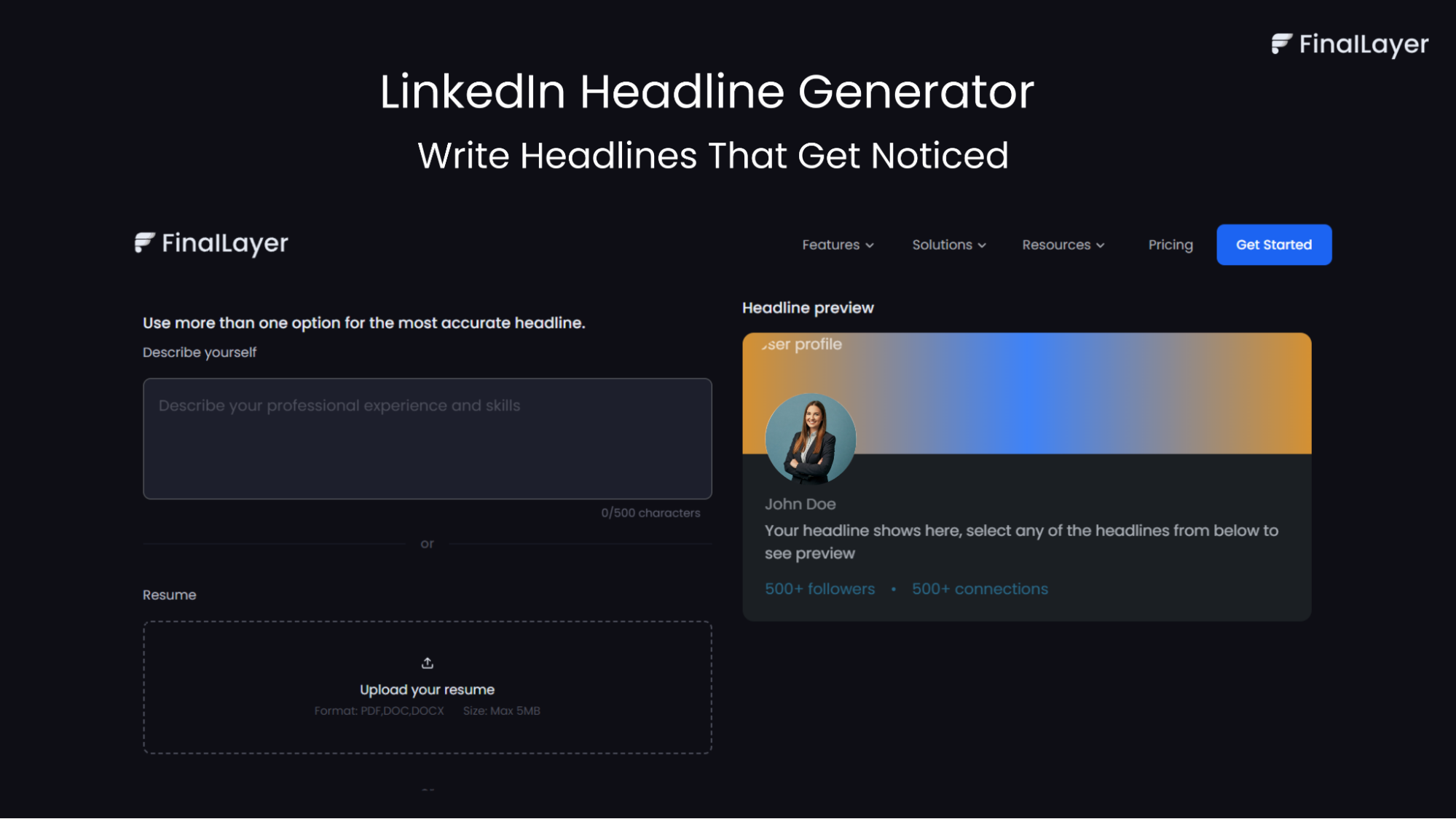
Visit the tool and select how to provide information:
- Describe yourself: Type a brief description of your role, skills, and goals
- Upload your resume (PDF, DOC, DOCX, max 5MB): The AI extracts relevant information
- Connect LinkedIn: Link your profile directly for analysis
Use at least one method, or combine multiple for best results. The linkedin headline generator works better with more context.
Step 4.3: Generate Headlines
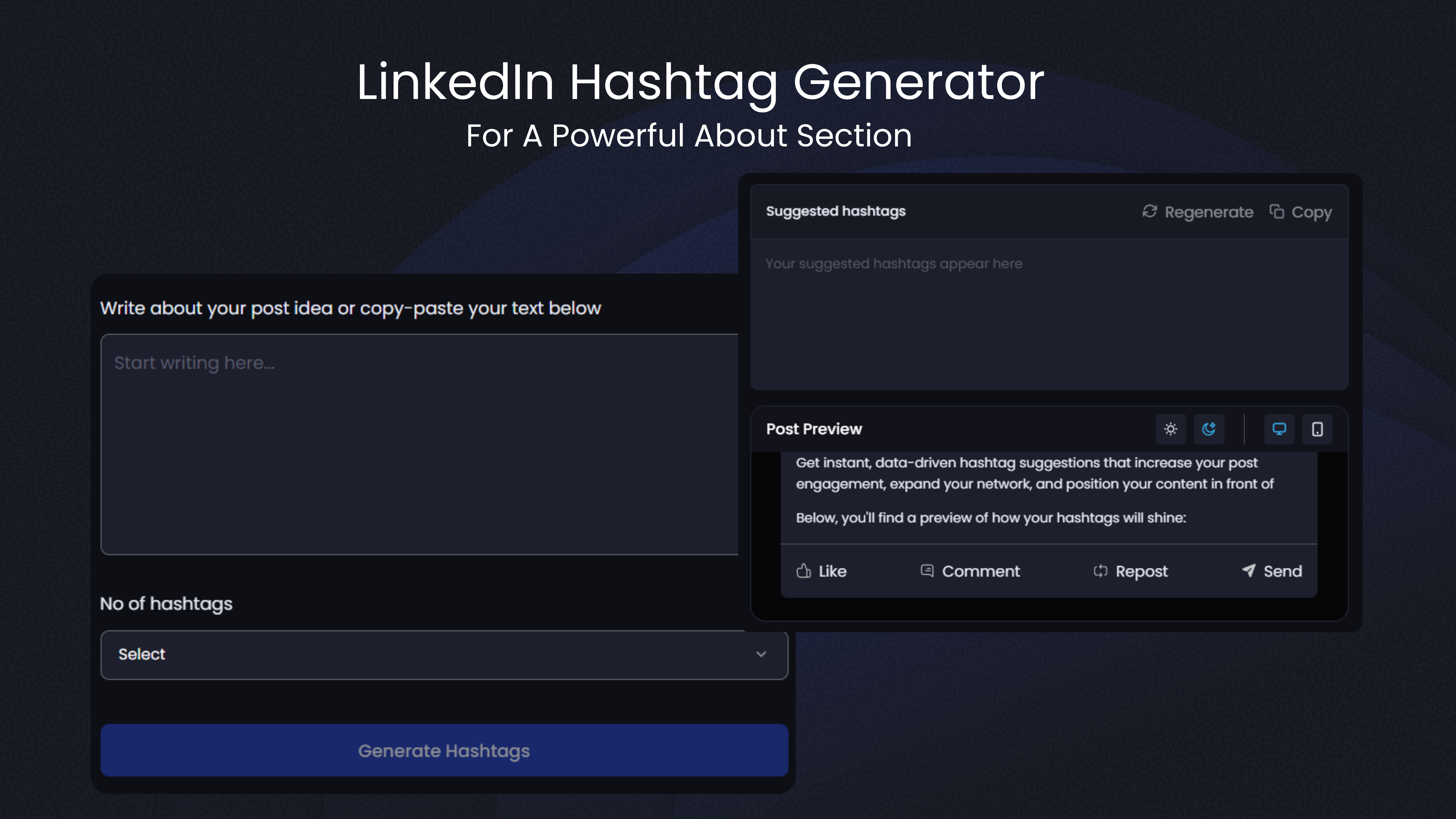
Click "Generate Headlines for LinkedIn." The linkedin headline generator creates 10+ headline options in seconds, each under 220 characters and optimized for different approaches.
Step 4.4: Preview Your Headlines
The tool shows how each headline looks on your profile with a visual preview. This helps you see:
- How the headline appears to profile visitors
- Whether it gets cut off on mobile
- How it balances with your profile photo and follower count
This preview feature makes learning how to write a linkedin headline easier by showing real-time results.
Step 4.5: Review Multiple Options
Read through all generated headlines. Look for ones that:
- Accurately reflect your expertise
- Include relevant keywords for your industry
- Sound natural, not generic
- Differentiate you from others in your field
The linkedin headline generator provides variety in linkedin headline examples, so you can choose what resonates most.
Step 5: Customize Your Selected Headline
After the linkedin headline generator creates options, refine your choice:
Add Specific Numbers: If the AI used general terms like "significant growth," replace it with actual metrics: "300% growth."
Insert Your Niche: Make sure your specialization is clear. "Marketing Manager" becomes "B2B SaaS Marketing Manager."
Include Location (If Relevant): For local businesses or regional roles, add your city: "Real Estate Broker | Austin, TX."
Verify Keyword Placement: Check that industry-specific terms appear naturally. These keywords determine whether you appear in relevant searches.
Test the Character Count: Aim for 180-200 characters. This ensures your headline displays fully across all devices.
Understanding how to write a linkedin headline includes knowing when to trust the AI and when to add personal touches.
Step 6: Optimize for Different Career Goals
Learning how to write a linkedin headline means recognizing that optimal headlines vary by objective:
For Job Seekers:
Signal openness to opportunities while showcasing expertise: "Product Manager | Led 5 Launches | Seeking Senior PM Role in HealthTech"
For Freelancers and Consultants:
Focus on client benefits and results: "Fractional CMO | Scaled 12 Startups to $2M+ ARR | B2B Growth Strategy"
For Executives and Thought Leaders:
Emphasize influence and vision: "VP Engineering | Building AI Solutions at Scale | Speaker & Mentor"
These linkedin headline examples show how optimization changes based on what you're trying to achieve. A linkedin headline generator can create versions tailored to each goal.
Step 7: Test and Refine Your Headlines
Understanding how to write a linkedin headline includes knowing that optimization is ongoing:
Implement Your Headline: Copy your chosen headline from the linkedin headline generator and update your LinkedIn profile.
Track Performance (30 Days): Monitor profile views, search appearances, and connection requests through LinkedIn analytics.
Generate Variations: After 30 days, use the linkedin headline generator again to create new options.
Compare Results: Which headline drove more views? Which attracted better-quality connections? Use data to guide decisions.
Refine Quarterly: Update your headline every 3 months or when your role, achievements, or goals change.
This testing approach helps you master how to write a linkedin headline that continuously improves performance.
Your Complete Action Plan
Here's your step-by-step process for how to write a linkedin headline:
Phase 1: Preparation (5 minutes)
- List your role, skills, achievements, and goals
- Review 5-10 linkedin headline examples in your industry
- Identify keywords relevant to your target audience
Phase 2: Generation (2 minutes)
- Visit FinalLayer's LinkedIn Headline Generator
- Input information via description, resume upload, or LinkedIn connection
- Generate 10+ headline options
Phase 3: Selection (5 minutes)
- Review all options with visual preview
- Choose 2-3 favorites
- Customize with specific numbers and keywords
- Verify character count (aim for 180-200)
Phase 4: Implementation (2 minutes)
- Update LinkedIn headline
- Set 30-day reminder for performance review
Phase 5: Optimization (Ongoing)
- Track analytics monthly
- Test new variations quarterly
- Update when goals or achievements change
Total initial time: 15 minutes for a headline that works continuously.
Real Results From Better Headlines
Consider these transformations using a linkedin headline generator:
Before: "Marketing Manager" After: "B2B Marketing Manager | 300% Lead Growth | Content Strategy & SEO for SaaS" Result: Profile views increased 240% in three weeks
Before: "Software Developer | Passionate About Code" After: "Full Stack Engineer | React, Node.js, AWS | Built 20+ Apps for Startups" Result: Connection requests doubled, freelance inquiries increased 40%
Before: "Former Teacher Looking for New Opportunities" After: "Ex-Educator Turned UX Designer | Creating Intuitive EdTech Solutions" Result: Three interviews within two months at EdTech companies
These linkedin headline examples demonstrate that understanding how to write a linkedin headline delivers measurable improvements.
Final Thoughts
Learning how to write a linkedin headline that attracts opportunities doesn't have to be complicated. By avoiding common mistakes, studying effective linkedin headline examples, applying proven formulas, and leveraging a linkedin headline generator, anyone can create a compelling headline.FinalLayer's linkedin headline generator simplifies the process while teaching principles of effective profile optimization. It helps professionals at every career stage understand how to write a linkedin headline that captures attention, communicates value, and drives profile views.